
Software Download
Text here
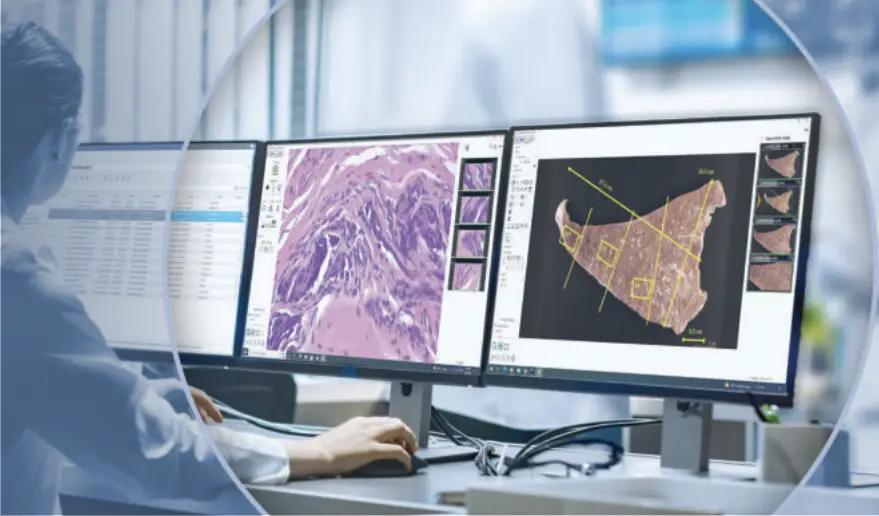
Enterprise Imaging Platform Enables Comprehensive Pathology Reviews
Heading Here
Easy to Learn — Easy to Use
Software Downloads
Video Overview
New install video for SPOT Basic Software, MAC Version!
New install video for SPOT Basic Software, PC Version!
SPOT Software
The current SPOT Software is compatible with Windows 7 SP1 (32 and 64-bit), Windows 8.1 (32 and 64-bit) and Windows 10* (32 and 64-bit). It is also compatible with Mac OS 10.8-10.13. SPOT software upgrades, trial versions, and replacement copies are available for purchase at our online webstore.
* NOTE: PCI- and PCIe-connected cameras are not supported on Windows 10.
- Download Latest SPOT Revision Log (last updated April 21, 2021)
SPOT Basic Software
Simple and easy to use interface includes:
- Live image preview with focus gauge and magnifier
- Automatic white balance
- Time lapse and movie file export
- Measurements, calibration marks, and annotations
- Custom reports
SPOT Advanced Software
Expanded imaging toolkit includes all of the SPOT Basic features, plus the features below:
- Image merging and pseudo-coloring for monochrome fluorescence images
- Macro scripting and custom dialog creation
- Database archival
- Support for modules: Quantitive Imaging, Extended Depth of Focus, Peripheral Device Control, Image Overlay, and Extended Third Party Interface
Camera Firmware
Updates the firmware on SPOT RTsCMOS, Insight sCMOS, Idea, Pursuit, and Xplorer camera models.
- Download for Windows (last updated October 17, 2017)
- Download for Mac – requires SPOT Camera Driver version 5.0.2 or higher (last updated October 17, 2017)
SPOT Third Party Driver Software
Drivers for using SPOT cameras with other software packages
SDK
A well-documented software development kit for integrating SPOT cameras with custom software on Windows, Mac, and Linux platforms. The API offers a flexible C based interface, making it easy to build SPOT camera support in any project.
Product Information and Literature
Downloadable specification sheets and user manuals
into a single location, enabling pathologists to “get the whole picture”
A quick scan of the sample’s barcode triggers the loading of the case data and all associated images
Quickly detail your images for consultation, publication or standard reporting
from a wide range of sources, including microscopy, grossing, electron micrography and radiology
Consulting with colleagues is as simple a click on the contact list to start a live, high resolution video and audio meeting with shared keyboard and mouse controls
documents chain of custody of samples, from opening the box at receiving and through every waypoint in the specimen's journey
using PHI data masking to protect shared files
PathSuite Enterprise is an on premises architecture that ensures your team has control over its resources and secure access to its data. The architecture eliminates 3rd party vulnerabilities that come with offsite data services.
PathSuite Enterprise is easy to learn and use, due to the elimination of distracting setting on the user interface combined with the logical organization of images into the standard case hierarchy. Relevant tools are organized by imaging mode tabs to ensure a streamlined workflow that keeps the focus on diagnostic productivity.
allows seamless user management in enterprise deployments
Incorporates data transaction logging to support incident investigation as needed
includes pooled licenses, dedicated user licenses, dedicated hardware licenses
documents chain of custody of samples, from opening the box at receiving and through every waypoint in the specimen's journey
Lean Workflow Benefits
PathSuite Enterprise is the culmination of the lean digital revolution, providing pathologists and other case reviewers with all the information required to make more informed diagnoses. As compared to the high expense of physically retrieving images of samples across the enterprise, all of the images are now available at your work station with a couple of keystrokes.
-
PathSuite Enterprise reduces Diagnostic Turnaround Time (DTAT) enabling earlier patient release and increasing hospital bed utilization
-
Eliminate time-consuming requests and retrieval of samples by securely accessing the central image repository across the enterprise
-
Start saving time today —pathologists can self-train using the highly intuitive graphic interface
-
Barcode scanning eliminates operator entry time and human error
-
Consolidate image repositories from multiple medical sub-specialties into one enterprise-wide solution, using a single software interface